
HVAC
Install, repair, and maintenance

Run the day with every crew, customer, property, and dollar connected.
Plan work from the desktop. Give technicians the exact context they need on iPhone. Keep the complete service record in one operating system.
One
operating picture
Live
field status
Every
property remembered
Clear
scope and approvals
ONE PLATFORM, MANY TRADES
From emergency service calls to recurring maintenance and multi-day projects, Job Fleet connects the office, field team, customer, property, and payment in one professional workflow.
Install, repair, and maintenance
Projects, crews, and job sites
Diagnosis, parts, and repairs
Multi-service work orders
Scopes, colors, and approvals
Routes, recurring visits, and crews
Recurring care and equipment
Service calls and installations
Teams, checklists, and quality
Emergency and scheduled service
Properties, treatments, and follow-up
Inspections, estimates, and projects
BUILT AROUND THE PROPERTY
Most field tools record what happened. Job Fleet is designed to prepare the next visit, protect the approved scope, and preserve the knowledge crews usually carry in their heads.
See missing crew, access, schedule, and equipment context before a truck rolls.
Keep access instructions, hazards, preferences, and installed equipment attached to the site.
Turn field discoveries into documented, customer-approved changes before extra work begins.
Clean up receipts and documents automatically, then file them with the correct customer or job.
DISPATCH CONTROL
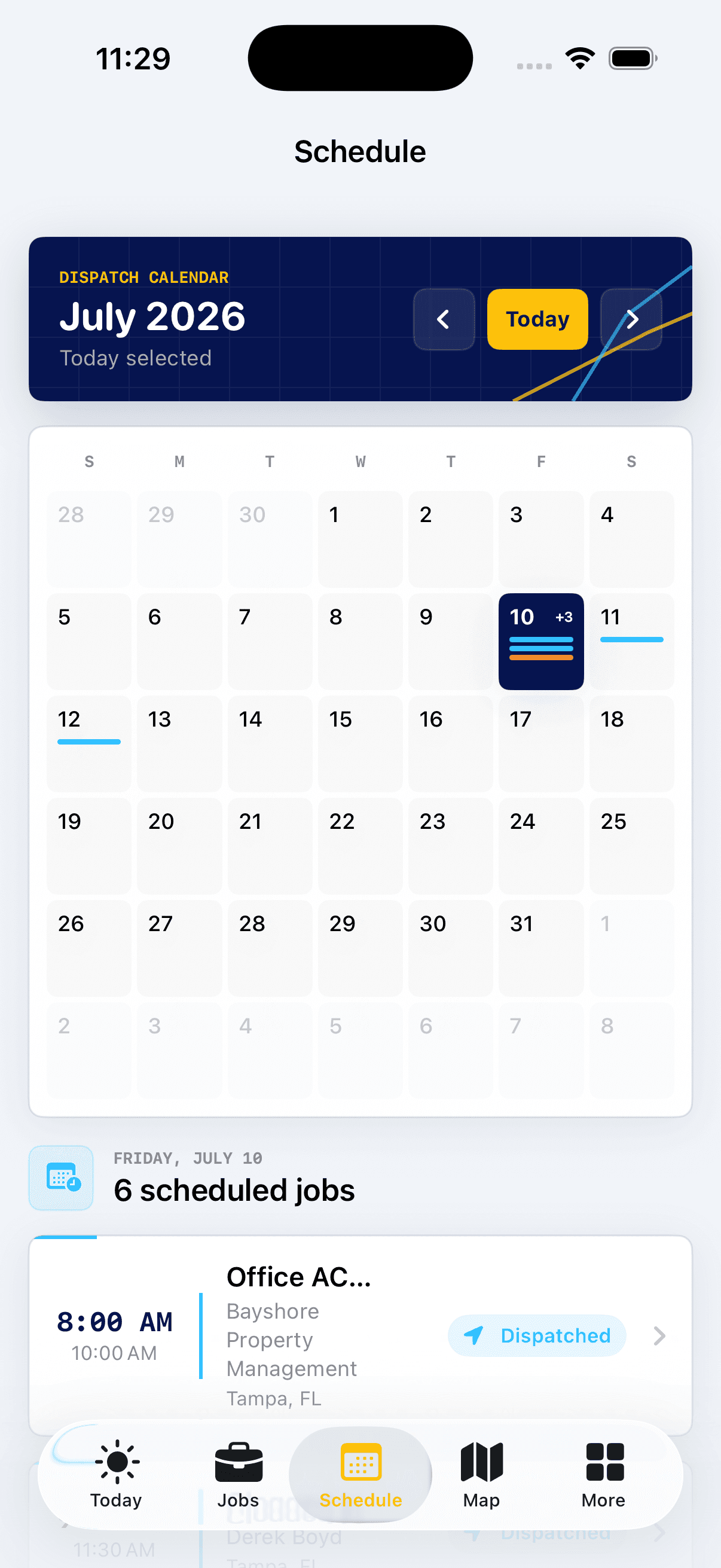
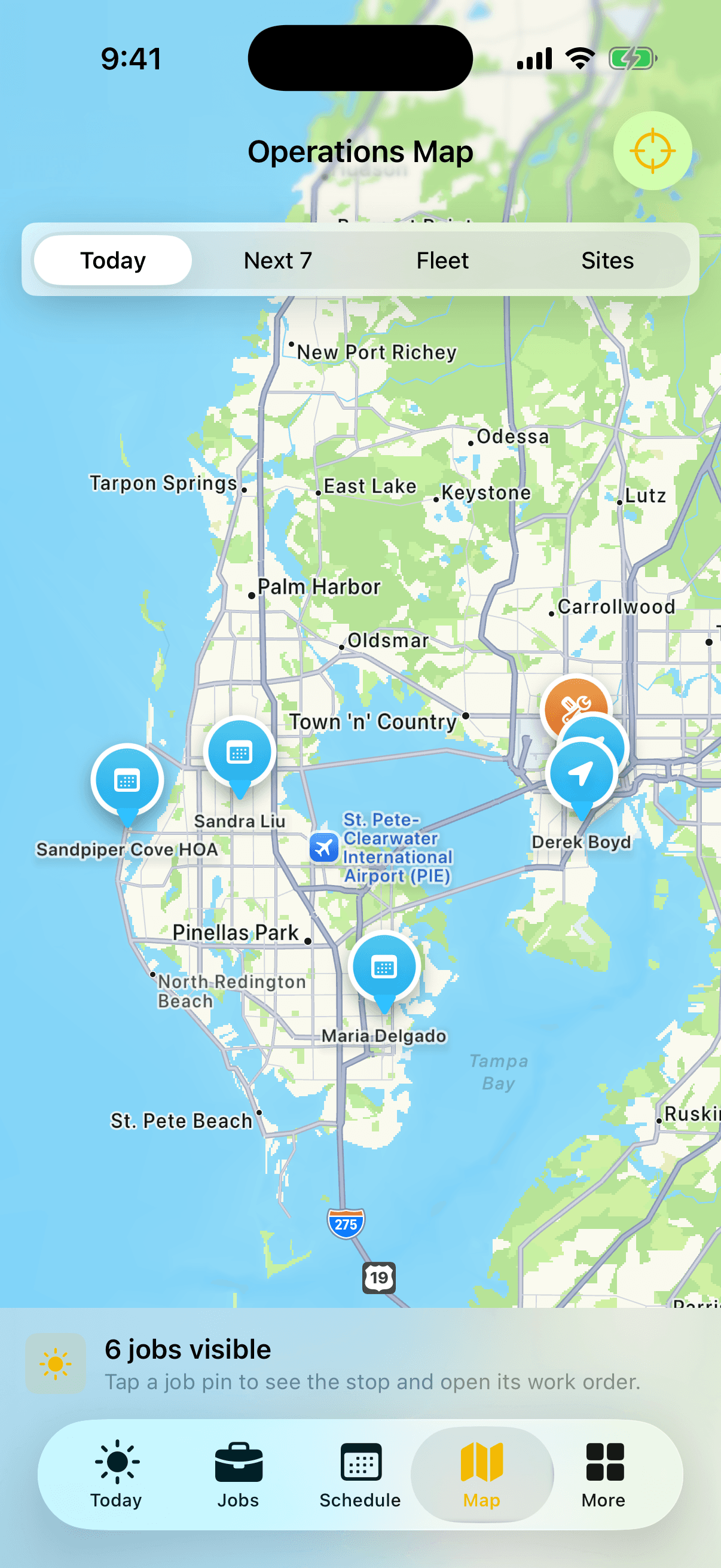
Move between calendar capacity, today’s route, upcoming properties, and live crew context without losing the work order.
NATIVE FIELD APP
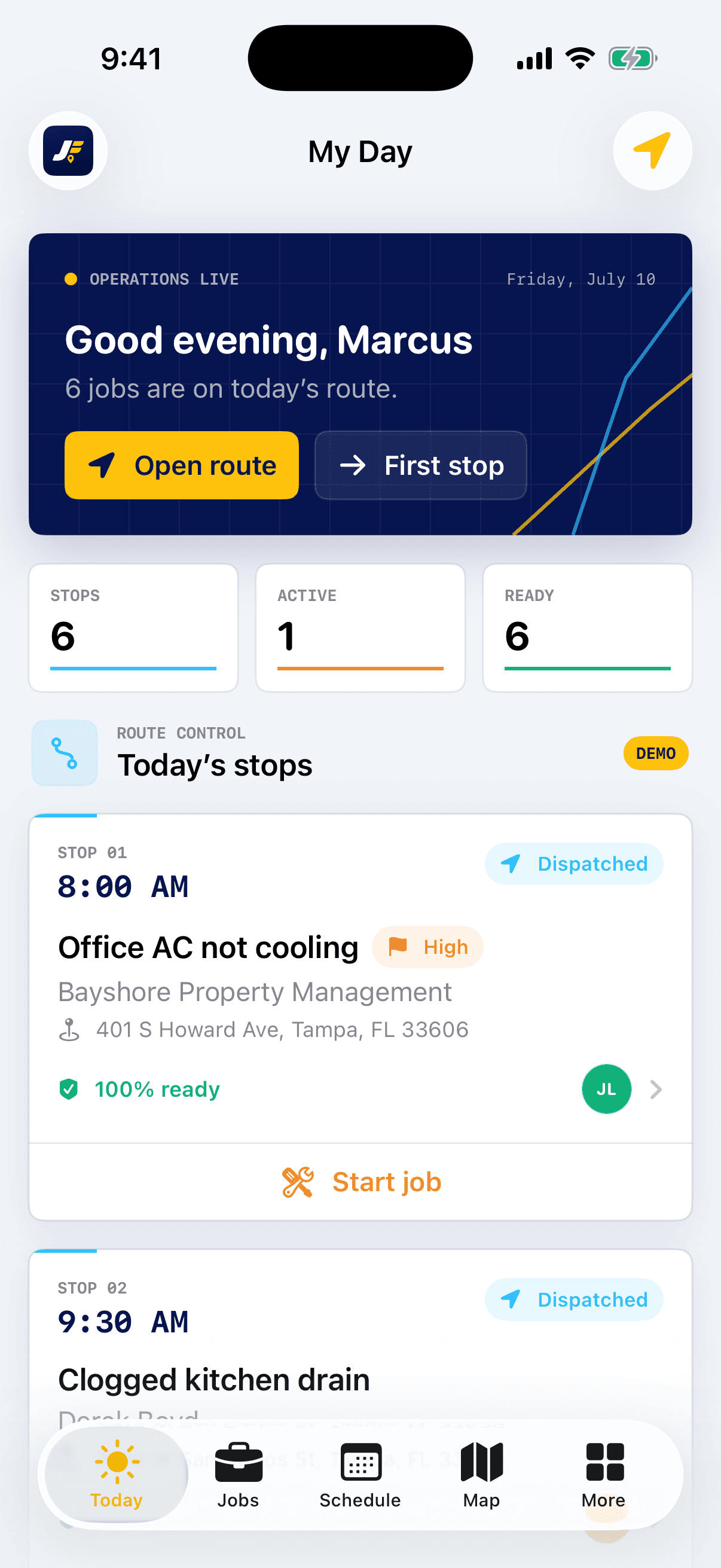
My Day keeps the route focused. Each work order brings forward customer contact, access, equipment, readiness, checklists, documents, and the next action.
Today, jobs, schedule, map, and only the tools assigned to the role.
Required context and checklists stay attached to the job.
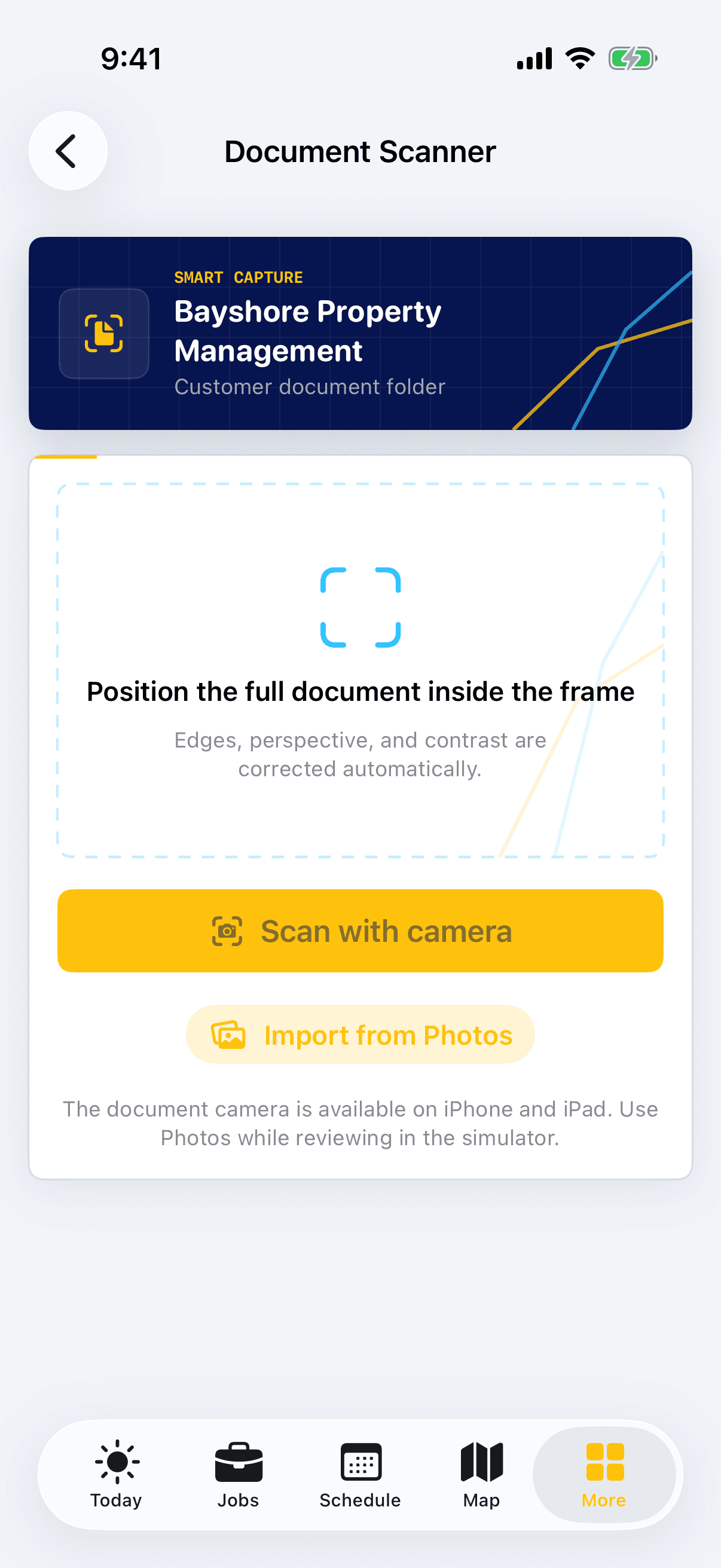
Scan, clean, categorize, and file documents where the office can find them.
Owner, dispatcher, and technician surfaces follow the live permission contract.
THE WHOLE SERVICE CYCLE
A full calendar, technician assignment, drag-and-drop dispatch, and workload visibility.
Coordinate-anchored property markers, crew status, upcoming work, and driving directions.
Customer details, service locations, job history, communication history, and document folders.
Job readiness, property context, equipment history, checklists, photos, status, and signatures.
Professional estimates, approvals, invoices, payment tracking, receipts, and financial reporting.
Appointment confirmations, on-my-way updates, reminders, and secure customer approvals.
Readiness gaps, overdue money, capacity, assignment context, and property history are more useful when they appear beside the decision instead of in a separate analytics product.

Start with your team, services, customers, and schedule. Job Fleet keeps the office and field working from the same record.